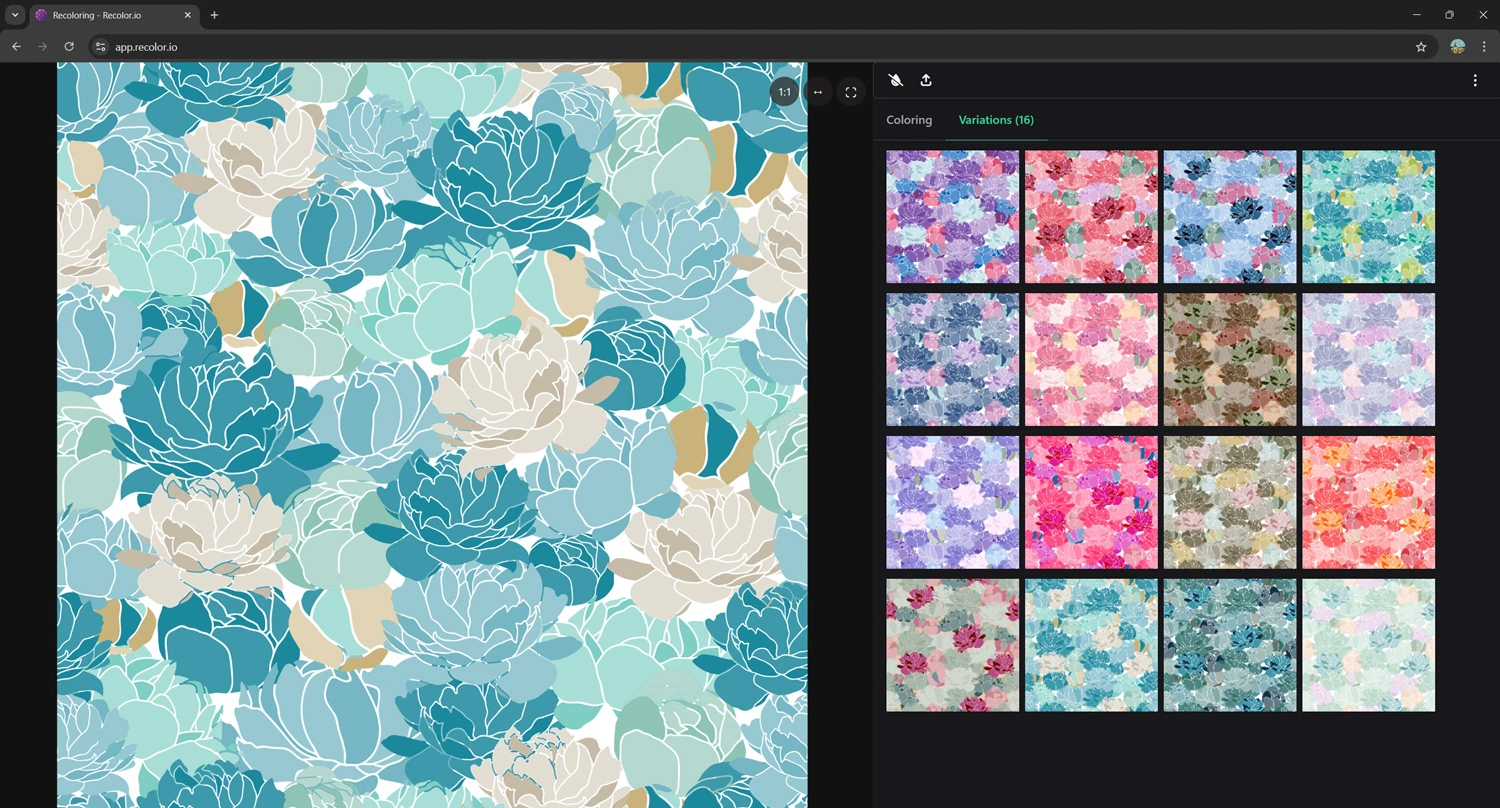
Textile coloring is a different job from drawing the design. The repeat is approved. The buyer wants eight seasonal ways, a ground change, and a PDF the mill can read. The question is which tool you open for that hour.
This comparison looks at usage in 2026: what a working session feels like, who the software is built for, and where it earns its place. We cover Recolor.io, AVA Colour, Pointcarre, and Adobe Photoshop. Recolor.io publishes this blog, so the Recolor section is the one we can describe from the product itself. The others are reviewed from how those tools are built and how studios use them day to day.
What “coloring software” has to do
A useful coloring tool does four things in one sitting:
- Open the file you already have, including layered PSDs, spot-channel TIFFs, and indexed art.
- Swap palettes without rebuilding the artwork.
- Keep a season’s colors shared, so the next design uses the same book.
- Hand off images and a color report someone else can produce from.
Design CAD that also weaves, knits, or separates is a bigger product. It can color. It also asks you to live inside a production system. Photoshop can color too. It asks you to manage the variants yourself.
Recolor.io
Where you work. Browser. No install.
Coloring session. Recolor layers, spot channels, or a reduced palette. Save colorways. Export images and a PDF with chips.
Best when. The artwork exists and you need many production-ready colorways, shared palettes, and optional dobby plaids.
AVA Colour
Where you work. Desktop, inside the AVA print studio.
Coloring session. Apply colourfiles, Pantone, or measured swatches to a separated design and check them against the press.
Best when. You already separate and print in AVA and want colourways tied to screen-to-print.
Pointcarre
Where you work. Mac and Windows desktop CAD.
Coloring session. Color while you design print, weave, knit, or tuft, then keep the production file in the same app.
Best when. The same team designs the cloth and the color, and sends files toward the mill.
Photoshop
Where you work. Desktop, Creative Cloud.
Coloring session. Hue shifts, selective color, and indexed swaps, saved as separate files.
Best when. You are drawing or cleaning the artwork, and the colorway count is still small.
Recolor.io
Recolor.io is textile coloring software for fashion, interior, and carpet studios. You open it in the browser, load the design, and build colorways from the file you already finished in Photoshop or elsewhere.
How a session goes
Drop in a JPG, a layered PSD, a TIFF with spot channels, or indexed artwork. From there the coloring path depends on how the file was built:
- PSD layers. Select a layer and recolor it in place. You do not flatten or export a copy first.
- Spot channels. On a TIFF, swap the palette on the spot channels and preview the result on the design.
- Full-color or indexed art. Group similar tones into a print-ready palette, or shift hue, saturation, and lightness across the image.
Colors come from a few places. Import an Adobe ASE or ACO swatch file and use it as a colorbook. Build a seasonal book and share it with a link so a teammate or a client is looking at the same chips. Or describe a mood and let the AI palette generator propose combinations you can apply and then edit. Designs are not sent to a third-party AI.
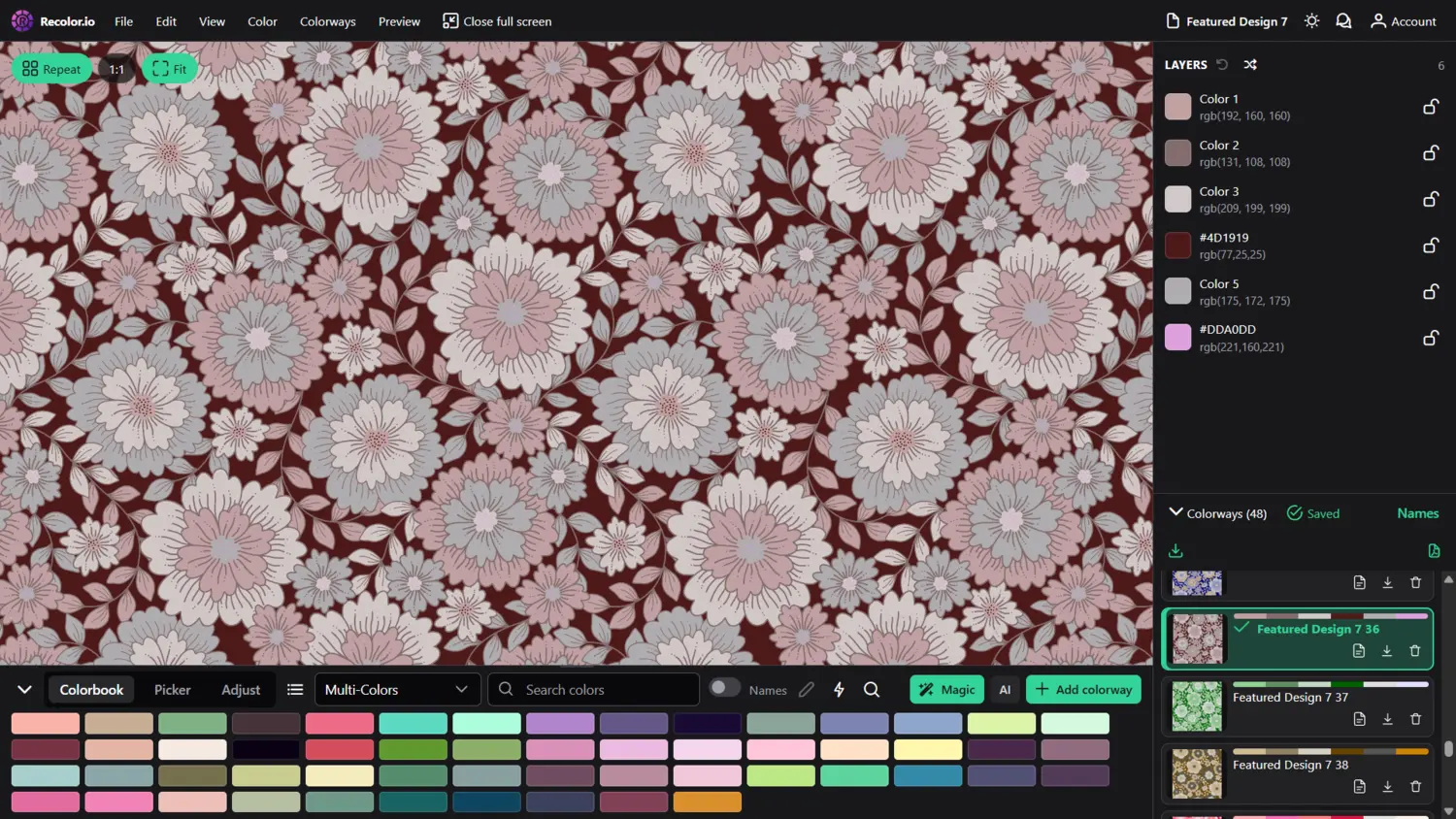
When a way is right, you save it with the design. Download TIFF, PNG, BMP, or JPG, and export a PDF report with swatches and color values for the client or the mill. A range stays attached to one design instead of becoming a folder of renamed PSDs.
Pro is the plan for individuals and small studios: unlimited colorways, PSD layer recoloring, AI recoloring, shared palettes, and PDF exports. Pro+ adds Dobby Design Creator for plaids and checks: draw warp and weft, edit weaves, compare colorways on the cloth, and export WIF plus a technical PDF. That is the path when the job is a woven structure, not only a recolor of a print.
Where Recolor.io fits
Studios that already have artwork and need colorways this week. Fashion, home, and carpet teams use it to turn one approved design into a seasonal set, keep colorbooks consistent, and send a PDF with the images. It stays a coloring tool. Weave engineering, rotary separations, and loom networking live in mill CAD.
AVA Colour
AVA Colour is the coloring module in AVA CAD/CAM, used by print studios that also design and separate in AVA. It can run on its own or next to those modules. The point of the tool is a colourway that still matches what the press can print.
How a session goes
You open a separated design and apply color from a personal colourfile, a picker, a Pantone chip, or a reading taken off a fabric swatch. Variations, layouts, and presentations are stored with that design in one file, so the range does not scatter across exports.
The production side is the reason print rooms stay in it. AVA fingerprints the output and models the variables of analogue print, so the colors you choose at the start are colors the press can hit. Studios use that to cut strike-offs: fewer rounds of “the ground went dull on cloth.” Screen-to-print match is the workflow, and coloring is tied to it.
Where AVA Colour fits
A print studio already working in AVA, with separations and a press to respect. It is a strong coloring desk when the next step is analogue or managed digital print inside that same system. It is a studio install, scoped to the AVA modules you license, and it expects you to be in that print workflow.
Pointcarre
Pointcarre is a full textile CAD: print, dobby, jacquard, jersey knit, and tufting in one application, on Mac and Windows. Coloring is part of designing the cloth, not a separate pass after the artwork is done.
How a session goes
A designer builds the design and the color story in the same file. Print repeats, weave structures, knit designs, and carpet or tuft work each have their own tools, and the palette travels with the design. Pointcarre includes professional color libraries with the software, including Pantone, so a studio is not buying the book as an add-on before the first season.
Since 2024, Pointcarre has also put AI inside that CAD: pattern generation in repeat, automatic repeat making, and upscaling. Those tools help you make the design. You still engineer and color it in Pointcarre, and the file can continue toward looms and production equipment the software supports.
The usage cost is scope. You learn a textile CAD, you install it, and you own a perpetual license. That pays off when the same people design structure and color and need mill-facing files. It is a long way around when the only open task is “give me six colorways of this PSD by Thursday.”
Where Pointcarre fits
Teams that design the fabric itself: wovens, jacquards, knits, prints, or tufted carpet, and want one desktop application from the idea to a production file. Coloring is capable because the whole design system is. Reach for it when coloring and construction are the same job.
Adobe Photoshop
Photoshop is still where most textile artwork is drawn, cleaned, and put into repeat. It is also where a lot of colorways are still born, because the file is already open and everyone on the team knows the tools.
How a session goes
You duplicate the file or the smart object. You shift hues, paint fills, use selective color, or convert to indexed color and replace swatches one by one. Each approved way is saved as its own PSD or TIFF. A swatch panel can hold the season, if someone remembers to update it and send it on.
That workflow is flexible, and it is the right place to make the art. At volume it gets heavy. Twelve colorways become twelve files. A ground change means opening each one. Spot-channel recolors are manual. Nothing in the app writes the mill PDF with chips, and a colorbook does not travel to the next person unless you export an ASE and hope they load it.
Studios keep Photoshop for the artwork, then move the coloring somewhere that treats a colorway as a saved state of one design.
Where Photoshop fits
Drawing, cleanup, repeats, and a handful of exploratory ways. It is a Creative Cloud subscription most design teams already pay for. Use it to make the file. Use a coloring tool when the file has to become a range.
Which one to open
- The design is done and the range is the job. Recolor.io. Open the PSD, TIFF, or indexed file, recolor from a shared book or an AI palette, and export the images with a PDF.
- You also need a woven check, not only a recolor. Recolor.io Pro+, in Dobby Design Creator, then color the cloth there.
- You separate and print in AVA. AVA Colour, so the colourway is already inside the press model.
- You design weave, jacquard, knit, or tuft as well as color. Pointcarre, and stay in that CAD through to the production file.
- You are still drawing. Photoshop. Move to a coloring tool when the variants start to multiply.
The expensive mistake is using a mill CAD as a colorway machine, or using Photoshop as a colorway archive. Match the tool to the hour you are actually in.
Put a real design through a coloring session
Open a PSD, TIFF, or indexed file in the browser and build the colorways from the artwork you already have.
Start recoloring